
Mastering SME Collaboration
AUDIENCE
New Instructional Designers who have limited experience collaborating with Subject Matter Experts (SMEs).
TOOLS USED
Articulate Storyline 360, Adobe Illustrator, Canva
The Problem
New Instructional Designers often struggle when working with SMEs for the first time. They may feel unsure about expectations, communication styles, and how to manage timelines which can cause projects to fall behind. They need a safe, guided way to practice decision‑making before facing real‑world SME interactions.
The Solution
This project is a scenario‑based eLearning experience that places learners in realistic SME situations. Through branching choices, feedback loops, and mentor guidance, learners practice making effective decisions at each project checkpoint. The experience is concise, practical, and designed to build confidence in navigating SME relationships.
I followed the ADDIE model to structure the learning flow and ensure each scenario aligned with real workplace challenges.
Process & Approach
My approach centered on creating an authentic and structured learning journey. I began by mapping the SME collaboration lifecycle and identifying the most common pain points for new Instructional Designers. From there, I developed branching scenarios that reflect realistic workplace situations and consequences.
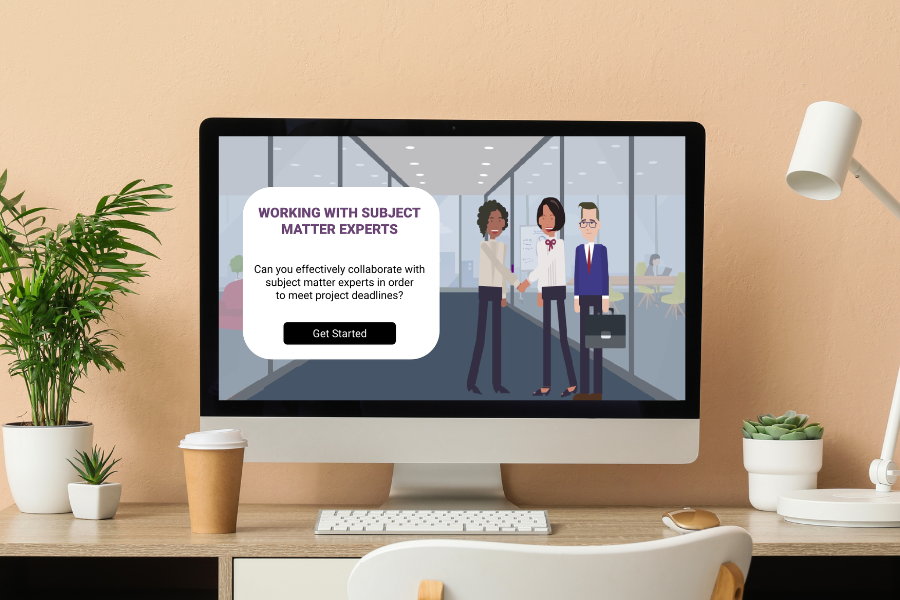
Dialogue, mentor interactions, and feedback layers were crafted to reinforce best practices while maintaining learner engagement. Visual design choices such as monochromatic character graphics, hover states, and a progress bar were intentionally minimal to keep the focus on decision‑making and clarity.
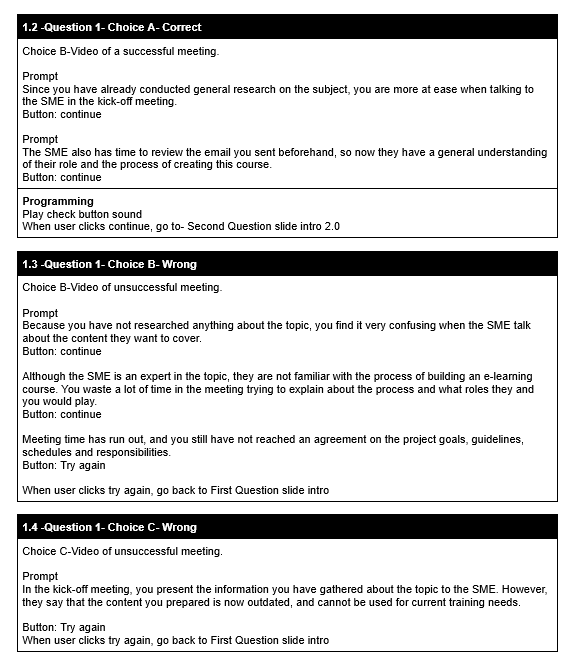
Text Based Storyboard
The storyboard served as the foundation for the entire project. It allowed me to organize scenario paths, decision outcomes, mentor guidance, and progress bar logic in a single structured document. This ensured consistency across all branches and streamlined the development process in Storyline.
The storyboard also enabled clear communication of correct and incorrect choices, feedback messaging, and slide‑to‑slide transitions.
Visual Mockup
Visual mockups were created to establish the aesthetic direction and user experience. The design prioritizes readability, spacing, and intuitive navigation. Character icons, hover states, and progress indicators were incorporated to enhance interactivity without overwhelming the learner.
The restrained visual approach supports cognitive focus, allowing learners to concentrate on the scenarios and decision‑making process.
Takeways
This project strengthened my expertise in designing branching scenarios and mentor‑supported learning experiences. I gained deeper insight into structuring decision‑based learning, pacing feedback, and guiding learners through complex processes in a clear and supportive manner.
The project also reinforced the importance of aligning instructional design decisions with real‑world workflows particularly when collaborating with SMEs who may have limited experience with eLearning development.